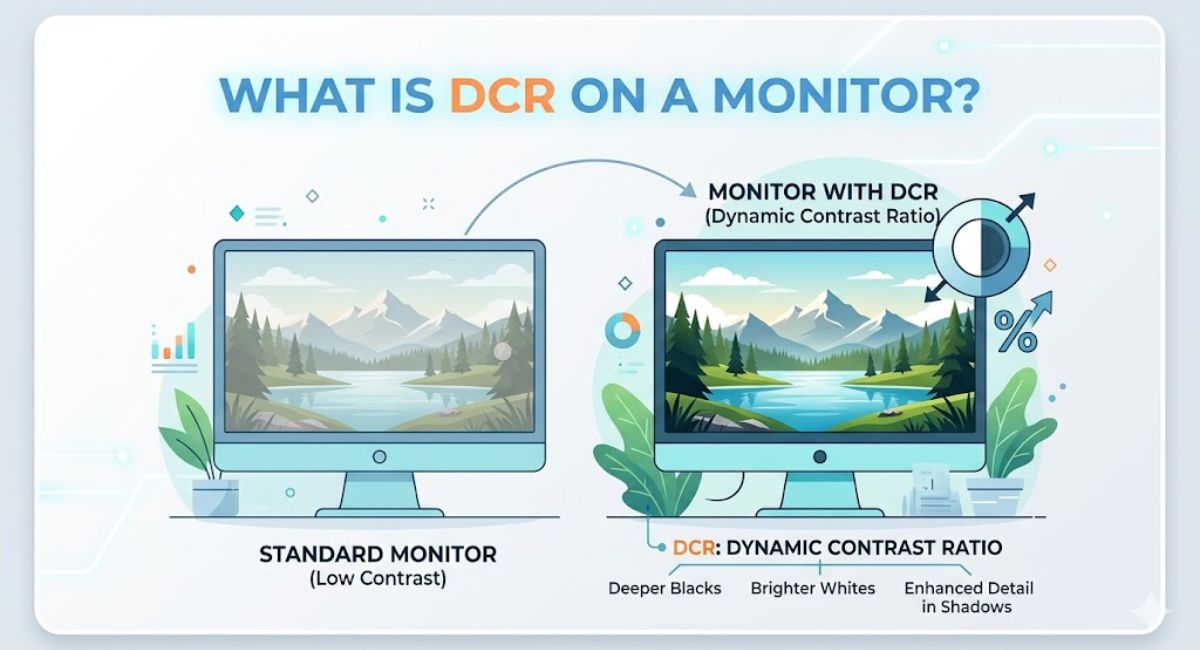

Modern monitors come packed with advanced display features, but one setting often confuses buyers: DCR. If you recently opened your monitor settings and saw “Dynamic Contrast Ratio,” you might wonder whether it improves picture quality or simply acts as a marketing gimmick.
The truth sits somewhere in the middle.
Dynamic Contrast Ratio can dramatically improve visual depth in movies and games, especially during dark scenes. At the same time, it may create brightness fluctuations that some users dislike. Understanding how DCR monitor technology works helps you decide when to enable it and when to leave it off.
This guide explains everything about what is DCR on a monitor, including how it works, gaming performance, HDR comparisons, OLED differences, and the best settings for everyday use.
What Is DCR on a Monitor?
Definition of Dynamic Contrast Ratio
Dynamic Contrast Ratio (DCR)=Brightest WhiteDarkest Black Adjusted Dynamically\text{Dynamic Contrast Ratio (DCR)} = \frac{\text{Brightest White}}{\text{Darkest Black Adjusted Dynamically}}Dynamic Contrast Ratio (DCR)=Darkest Black Adjusted DynamicallyBrightest White
Dynamic Contrast Ratio (DCR) is a display technology that automatically adjusts your monitor’s brightness and backlight intensity depending on the content shown on the screen.
Instead of maintaining a fixed brightness level, the monitor continuously changes luminance levels in real time. Dark scenes become darker while bright scenes appear more vivid and vibrant.
This process creates the illusion of deeper blacks and brighter whites, improving perceived image depth and overall visual immersion.
Many manufacturers advertise DCR monitor performance with extremely high numbers such as 1,000,000:1. These values represent the monitor’s ability to dynamically alter brightness rather than its actual native contrast capability.
How DCR Works in Modern Displays
Modern DCR technology relies on intelligent image processing.
The monitor analyzes content frame by frame and adjusts backlight intensity automatically. When a scene becomes dark, the backlight dims. When bright content appears, the display boosts brightness levels.
This adaptive brightness system uses:
- Dynamic gamma correction
- Backlight modulation
- Real-time image optimization
- Intelligent brightness adjustment
- Screen luminance balancing
For example, during a nighttime gaming scene, DCR lowers overall brightness to improve shadow rendering and black depth. In daylight scenes, brightness increases for richer highlights and stronger image vibrancy.
Dynamic Contrast Ratio vs Static Contrast Ratio
What Is Static Contrast Ratio?
Static contrast ratio, also called native contrast ratio, measures the difference between the brightest white and darkest black a monitor can produce simultaneously without changing brightness dynamically.
Unlike DCR, static contrast remains fixed.
A monitor with a 3000:1 static contrast ratio naturally produces deeper blacks than a 1000:1 monitor, regardless of software enhancements.
This measurement matters more for accurate display performance because it reflects the panel’s real hardware capability.
Which One Produces Better Image Quality?
The answer depends on your usage.
Dynamic Contrast Ratio improves perceived contrast during movies and gaming. It creates dramatic cinematic visuals and enhances dark scene visibility.
Static contrast ratio delivers more stable and consistent image quality. Professional users usually prefer native contrast because colors remain accurate without brightness shifts.
For casual users, DCR can make content appear more exciting and immersive. For creators and editors, static contrast typically matters more.
Why Manufacturers Advertise High DCR Numbers
Monitor brands often promote massive DCR ratings because they sound impressive.
A monitor might advertise:
- 10,000,000:1 Dynamic Contrast Ratio
- Ultra-high contrast enhancement
- Advanced display luminance control
These figures result from aggressive backlight dimming rather than true panel performance.
That does not mean DCR is useless. It simply means advertised numbers should not be treated as direct indicators of real-world picture quality.
Benefits of DCR on a Monitor
Improved Gaming Visuals
Dynamic Contrast Ratio can noticeably improve gaming visuals.
Dark areas become easier to navigate while bright explosions and effects appear more dramatic. Games with atmospheric lighting especially benefit from adaptive contrast enhancement.
Benefits include:
- Better shadow detail enhancement
- Enhanced visual clarity
- Richer environmental depth
- More immersive gaming
- Improved cinematic storytelling
Single-player games like horror adventures and RPGs often look better with DCR enabled.
Better Movie and HDR Content Experience
DCR also improves multimedia viewing experiences.
Movies gain stronger contrast between bright and dark scenes, creating richer cinematic monitor visuals. HDR content can appear more impactful on budget monitors lacking advanced local dimming technology.
This enhancement helps with:
- Deeper blacks
- Brighter whites
- Better image richness
- More vibrant graphics
- Improved color depth perception
Streaming content often feels more dynamic when DCR is active.
Reduced Eye Strain During Long Sessions
Some monitors use DCR as part of visual comfort technology.
Adaptive brightness prevents the screen from remaining excessively bright during dark scenes or nighttime usage. Lower brightness in darker environments may reduce eye fatigue during long viewing sessions.
However, results vary depending on monitor quality and sensitivity to brightness changes.
Drawbacks of DCR Technology
Brightness Fluctuation Issues
One common complaint involves inconsistent brightness transitions.
The screen may suddenly dim or brighten when scenes change rapidly. This effect becomes noticeable during fast-moving videos or gaming sequences.
Some users describe this behavior as distracting or unnatural.
Poorly implemented DCR systems can even cause visible monitor flickering issues.
Color Accuracy Problems
Professional creators often disable DCR completely.
Graphic designers, photographers, and video editors require accurate colors and consistent brightness. Dynamic backlight adjustment interferes with calibrated monitor settings and alters perceived color accuracy.
If you work with:
- Photo editing
- Video production
- Graphic design
- Professional workflow calibration
You should usually leave DCR disabled.
Input Lag and Display Responsiveness
Certain monitors introduce additional processing when DCR is enabled.
This can slightly affect:
- Response time performance
- Gaming latency
- Motion handling
- Frame transitions
Competitive gamers focused on fast-paced esports titles generally prefer stable display responsiveness over dynamic image processing.
Is Dynamic Contrast Ratio Good for Gaming?
Best DCR Settings for Gaming Monitors
There is no universal answer because gaming preferences vary.
For cinematic games, DCR often improves immersion and environmental depth. For competitive shooters, many players disable it for consistent brightness and reduced distractions.
Recommended approach:
| Gaming Type | DCR Recommendation |
| Story-driven games | Enable |
| Racing games | Optional |
| Competitive FPS | Disable |
| Horror games | Enable |
| Strategy games | Personal preference |
DCR for Competitive vs Casual Gaming
Casual gamers usually enjoy enhanced visuals and richer graphics.
Competitive players care more about:
- Stable brightness
- Fast response time
- Reduced ghosting
- Better motion clarity
In esports gaming, brightness fluctuations may interfere with spotting enemies quickly.
DCR and High Refresh Rate Displays
Modern 144Hz and 240Hz gaming monitors prioritize speed and responsiveness.
Enabling aggressive DCR processing on some displays can interfere with low latency optimization. High-refresh-rate users often pair settings carefully to balance image quality and responsiveness.
If you own a premium IPS gaming monitor or OLED display, you may not need DCR at all.
DCR vs HDR: What’s the Difference?
What HDR Does Better
HDR stands for High Dynamic Range.
Unlike simple brightness adjustment, HDR improves:
- Color gamut
- Highlight detail
- Black depth
- Image fidelity
- Brightness precision
Advanced HDR monitors use local dimming technology to control brightness in specific screen zones rather than adjusting the entire backlight simultaneously.
That creates much better contrast performance than standard DCR systems.
Where DCR Still Helps
DCR still offers value on budget displays without HDR support.
Older monitors and entry-level gaming displays use Dynamic Contrast Ratio to simulate improved contrast without requiring expensive hardware upgrades.
For affordable multimedia viewing monitors, DCR can still enhance perceived picture quality.
HDR vs DCR Monitor Comparison
| Feature | DCR | HDR |
| Dynamic brightness | Yes | Yes |
| Local dimming | Limited | Advanced |
| Color enhancement | Moderate | Excellent |
| Realistic highlights | Basic | Superior |
| Gaming immersion | Good | Excellent |
| Budget friendliness | High | Medium |
OLED vs DCR Monitor Technology
Why OLED Displays Have Better Contrast
OLED displays produce perfect blacks because each pixel lights independently.
Unlike traditional monitors, OLED panels do not rely on global backlight adjustment. Self-lit pixels simply turn off completely during dark scenes.
That creates:
- Infinite contrast ratios
- Exceptional shadow rendering
- Superior image fidelity
- Better cinematic visuals
OLED technology naturally outperforms DCR-based enhancement systems.
IPS Panels, VA Panels, and TN Panels
Different panel technologies handle contrast differently.
IPS Panels
- Excellent viewing angles
- Strong color consistency
- Lower native contrast
VA Panels
- Better black levels
- Higher contrast ratios
- Great for movie viewing
TN Panels
- Fast response times
- Lower image quality
- Limited viewing angles
Many IPS gaming monitors use DCR to compensate for weaker native contrast performance.
What Is a County Integrated Development Plan and Why It Matters
Should You Turn On DCR on Your Monitor?
Best Use Cases for DCR
DCR works best for:
- Watching movies
- Casual gaming
- Streaming content
- General multimedia consumption
- Dark-room viewing
It can make everyday content appear richer and more visually engaging.
When You Should Disable DCR
You should probably disable DCR for:
- Professional editing
- Competitive gaming
- Color-sensitive work
- Monitor calibration
- Productivity-focused setups
Consistent brightness matters more in these scenarios.
How to Enable or Disable DCR
Most monitors include DCR settings inside the monitor OSD menu.
Brands may use different names such as:
- Dynamic Contrast
- Adaptive Contrast
- Smart Contrast
- Advanced DCR
- Intelligent Backlight
Many AOC monitors include customizable DCR controls directly inside gaming presets.
Best Monitor Settings for Better Contrast and Image Quality
Recommended Brightness and Contrast Levels
Good monitor calibration starts with balanced settings.
Recommended starting points:
- Brightness: 40% to 70%
- Contrast: 70% to 80%
- Sharpness: Moderate
- Gamma: 2.2
These settings usually provide comfortable screen brightness balancing without excessive eye strain.
Monitor Calibration Tips
For better picture quality:
- Disable excessive sharpening
- Use proper color temperature
- Adjust gamma carefully
- Avoid over-saturated presets
- Match ambient lighting conditions
Professional editing monitors benefit from hardware calibration tools for maximum color accuracy.
Multi-Monitor Setup Considerations
In dual monitor setups, inconsistent DCR behavior can create visible brightness differences between screens.
For coding monitors and workstation displays, many users disable dynamic display settings entirely to maintain visual consistency.
Final Verdict on DCR Monitor Technology
Dynamic Contrast Ratio remains a useful feature for casual users who want richer visuals without spending heavily on premium display technology.
For gaming, movies, and general entertainment, DCR can enhance immersion by improving perceived contrast and visual depth. Dark scenes appear more dramatic while bright content gains stronger impact.
Still, DCR is not perfect. Brightness fluctuations, inconsistent color accuracy, and occasional responsiveness issues make it less ideal for professional editing and competitive gaming. Users focused on accuracy usually prefer strong native contrast or OLED technology instead.
If your monitor includes DCR, experiment with it. Some displays implement it beautifully while others feel overly aggressive. The best setting ultimately depends on your content, room lighting, and personal preference.
FAQs
What is DCR on a monitor used for?
DCR is used to dynamically adjust monitor brightness and contrast in real time. It improves perceived image depth, enhances dark scenes, and creates more immersive visuals during gaming and movie playback.
Should I turn on the DCR for gaming?
It depends on the type of games you play. DCR works well for cinematic and story-driven games but may distract competitive gamers because of brightness fluctuations.
Does DCR improve image quality?
Yes, DCR can improve perceived image quality by enhancing black levels and bright highlights. However, it does not increase the monitor’s true native contrast ratio.
What is the difference between DCR and HDR?
DCR adjusts overall brightness dynamically, while HDR improves color depth, highlight detail, and contrast using advanced display hardware and local dimming technology.
Is DCR good for programming or coding?
Most programmers prefer disabling DCR because constant brightness adjustments can become distracting during long productivity sessions.
Can DCR reduce eye strain?
In some cases, yes. Adaptive brightness adjustment may reduce eye fatigue in dark environments by lowering excessive screen brightness automatically.