
Many people spend six to ten hours a day sitting at a desk. Over time, this can lead to back pain, poor posture, low energy levels, and other health concerns.
A riser desk offers a simple solution. It allows you to switch between sitting and standing without replacing your existing desk. Whether you work from home or in an office, a desk riser can help create a more comfortable and healthier workspace.
What Is a Riser Desk?
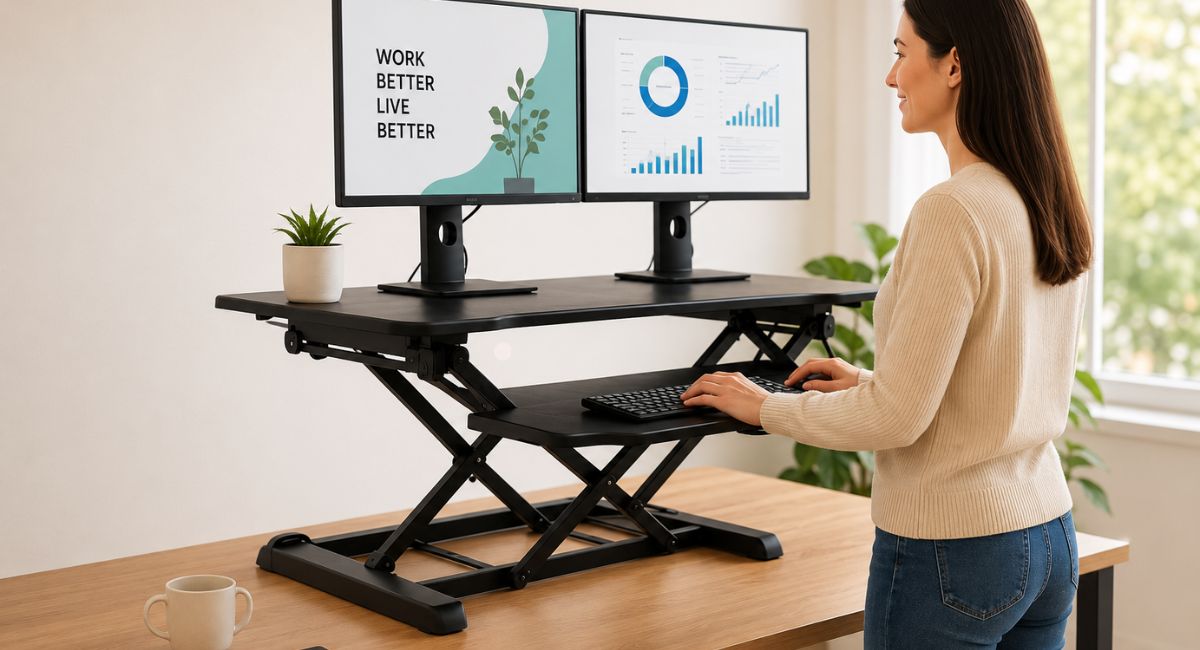
A riser desk, also called a desk riser or standing desk converter, is an adjustable platform that sits on top of your current desk.
It raises your monitor, keyboard, and other work tools to a comfortable standing height. When you want to sit, you simply lower the platform.
The main benefit is flexibility. Instead of staying in one position all day, you can alternate between sitting and standing whenever needed.
Riser Desk vs Standing Desk
Although both options support a healthier work style, they work differently.
| Feature | Riser Desk | Standing Desk |
| Cost | Lower | Higher |
| Installation | Quick and easy | Requires replacement |
| Space Needed | Minimal | More space |
| Portability | Easy to move | Less portable |
| Existing Desk Required | Yes | No |
A riser desk sits on top of your current desk, while a standing desk replaces the entire workstation.
Types of Riser Desks
Manual Desk Risers
Manual models require you to raise and lower the platform yourself.
They are affordable, reliable, and ideal for people who only change positions a few times each day.
Electric Desk Risers
Electric models use a motor to adjust height with the push of a button.
Many include memory settings that save your preferred sitting and standing positions.
Single-Tier Risers
Single-tier designs move the monitor, keyboard, and mouse together on one platform.
They are simple and easy to use.
Dual-Tier Risers
Dual-tier models have separate levels for the monitor and keyboard.
This setup improves ergonomics and helps reduce neck and shoulder strain.
How Does a Desk Riser Work?
Most desk risers use one of three lifting systems.
Gas Spring Systems
Gas spring mechanisms use compressed gas to help raise and lower the platform smoothly.
They offer easy adjustment without electricity.
Electric Lift Systems
Electric models rely on a motor for effortless height changes.
Some include digital controls and preset height options.
Crank Adjustment Systems
These models use a hand crank to adjust the height.
They are durable and budget-friendly but take longer to adjust.
Important Features to Look For
Keyboard Tray
A separate keyboard tray helps keep your arms and wrists in a comfortable position.
This reduces strain during long work sessions.
Monitor Height Adjustment
Your monitor should sit at eye level to prevent neck pain.
Choose a riser that offers enough height for your setup.
Weight Capacity
If you use multiple monitors, check the weight limit before buying.
A stronger frame ensures stability and safety.
Workspace Size
Make sure the platform has enough room for your monitor, keyboard, mouse, and other essentials.
Cable Management
Built-in cable organizers help keep wires tidy and prevent clutter.
Benefits of Using a Riser Desk
Helps Reduce Back Pain
Switching between sitting and standing reduces pressure on the lower back.
Many users notice less discomfort during long workdays.
Improves Posture
A properly adjusted workstation encourages a natural sitting and standing position.
This can help prevent slouching and shoulder tension.
Boosts Energy Levels
Standing periodically throughout the day improves blood circulation.
Better circulation often leads to increased focus and productivity.
Supports a More Active Lifestyle
A desk riser encourages movement and helps break up long periods of sitting.
Small changes like this can support better long-term health.
How to Set Up a Desk Riser Correctly
Position the Monitor Properly
The top of the screen should be at or slightly below eye level.
Keep the monitor about an arm’s length away.
Use an Anti-Fatigue Mat
If you stand regularly, an anti-fatigue mat can reduce pressure on your feet and legs.
Alternate Between Sitting and Standing
Avoid standing all day.
A good approach is to stand for 15 to 30 minutes each hour and adjust based on comfort.
Is a Riser Desk Worth It?
For most people, yes.
A desk riser is one of the most affordable ways to improve workspace ergonomics. It requires little setup, works with your existing desk, and helps reduce the negative effects of sitting for long periods.
It is especially useful for remote workers, students, freelancers, and office professionals who spend several hours at a computer every day.
Frequently Asked Questions
What is the difference between a riser desk and a standing desk?
A riser desk sits on top of an existing desk, while a standing desk replaces the entire workstation.
Can a desk riser help with back pain?
Yes. Regularly switching between sitting and standing can reduce strain on the back and improve posture.
How long should I stand each day?
Start with 15 to 30 minutes per hour and adjust based on comfort and experience.
Can a desk riser support dual monitors?
Many models can. Always check the weight capacity and platform size before purchasing.
Do I need an anti-fatigue mat?
It is not required, but it can make standing more comfortable during long work sessions.
Final Thoughts
A riser desk is a simple upgrade that can make a big difference in your daily comfort. It allows you to switch between sitting and standing, improve posture, and create a healthier workspace without replacing your existing desk.
Whether you work from home or in a traditional office, a quality desk riser offers an affordable way to stay comfortable and productive throughout the day. For many people, it is one of the easiest ergonomic improvements they can make.